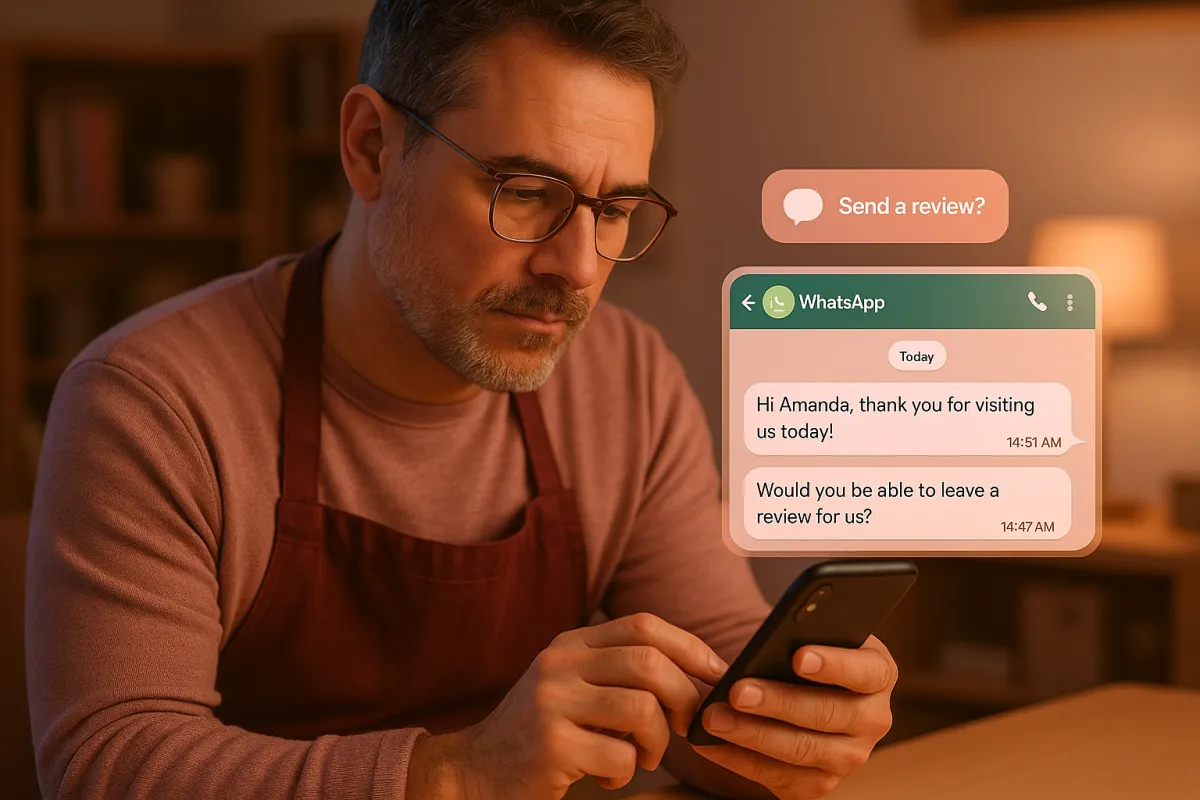
What should I send to customers to ask for reviews without being annoying
Local SEO, Reviews, Customer Experience
The Review Request Message That Gets Responses (Without Being Annoying)
Send review requests that sound like a human, arrive at the right moment, and make it effortless to respond. The core formula is simple: personal context + genuine thanks + one clear link + optional gentle follow-up. Use SMS or WhatsApp for speed and response (they drive up to 35–40% more reviews than email as of 2025), keep it under 320 characters, and send it within 1–3 hours of the visit or job completion. Automate the timing and routing with a tool like ThePowerLabs.ai, but always keep the words sounding like you—not a corporate robot.
Most review requests feel like spam. Generic, corporate, obviously automated. Customers think "robot wrote this for 500 people" and ignore it.
Why generic messages get ignored
The 3-second spam filter in your customer’s brain
Customers scan every message in about three seconds and instantly decide: “for me” or “mass blast.” Anything that looks like a template—no name, no context, stiff language—gets mentally filed as spam. In 2025, inbox and message fatigue is brutal: people receive 80–120 notifications a day, so your request has to feel clearly connected to a real interaction they just had with you.
Generic messages usually make three mistakes at once: they don’t reference the visit or service, they talk like a corporation instead of a person, and they ask for a favor without first acknowledging the customer’s time. That’s why you see response rates under 2–3% for most “Dear Valued Customer, please rate your experience” messages, even in 2026 when reviews matter more than ever for local rankings.
Phrases that scream “automated corporate spam”
Certain phrases instantly kill trust: “Dear valued customer”, “Your feedback is very important to us”, “It will only take a few minutes of your time”. These lines are overused, insincere, and centered on the business’s needs, not the customer’s experience. When people see them, they assume a bot is working through a list and feel no personal obligation to respond.
Instead, anchor your message in something specific they did: the service they booked, the item they bought, or the problem you solved. That one detail flips the script from “mass message” to “this is about my actual visit”. From there, a short, clear ask feels natural instead of pushy.
What works
The simple review request formula
Effective review requests follow a predictable structure that doesn’t feel scripted: 1) remind them who you are and what you just did, 2) genuinely thank them, 3) explain why their review matters in one short line, and 4) give a single, clean link. No extra forms, no surveys, no multiple options. One tap, one action.
Here’s a template that consistently performs well across local businesses:
Hey <First Name>, this is <Your Name> from <Business>.
Thanks again for <service/visit today> 🙌
If we earned it, would you mind leaving a quick review here?
<Short Review Link>
Real‑world examples you can copy and adapt
Example for a dental clinic (SMS or WhatsApp):
Hi Sarah, Dr. Lee here from BrightSmile Dental.
Thanks for coming in for your cleaning today.
Your review helps other patients find us.
Would you leave us a quick review here?
<Link>
Example for a home services business (plumber, electrician):
Hey Mark, it’s Jenna from FlowRight Plumbing.
Glad we could get your kitchen sink sorted this afternoon.
Could you take 30 seconds to share how we did?
Your review really helps our small team: <Link>
Example for a café or restaurant:
Hi Alex, this is Maya from Cornerstone Café.
Thanks for stopping by for brunch today!
If you enjoyed it, would you leave us a quick Google review?
It helps more locals discover us: <Link>
The message that converts 30%
The 30% review request script (and why it works)
When you combine the right timing, channel, and wording, it’s realistic to convert 25–30% of customers into public reviews on autopilot. The highest‑performing script we see in 2025 has three key elements: it clearly comes from a person, it references the specific service, and it frames the review as helping other customers—not just boosting your ego or rankings.
“Local businesses using this structure with automated timing through ThePowerLabs.ai regularly see review rates jump from 3–5% to 25–30% within 60 days as of Q1 2025.”
Here’s the exact message structure that drives those numbers:
Hey <First Name>, <Your Name> here from <Business>.
Really appreciate you choosing us for <service/visit> today.
Your review helps other people in <City> know what to expect.
If you’re happy, would you leave us a quick review here?
<Short Link>
Timing: exactly when to send the request
Timing is not a detail; it is the lever. Data from local businesses using review automation in 2025 shows:
- Requests sent within 1–3 hours of the visit or job completion convert best—while the experience is still fresh.
- Same‑day requests outperform “end of week” batch sends by 2–3x in 2026, because customers barely remember the details after a few days.
- For home services, sending the request 15–30 minutes after the tech leaves the driveway works best; the customer is still thinking about the repair.
This is exactly where automation matters. A platform like ThePowerLabs.ai can trigger review requests automatically based on appointment status, invoice payment, or job completion—so the message hits at the right moment every time, without you having to remember.
What kills response rates
The tone mistakes that feel pushy or fake
Customers don’t mind being asked for a review. They mind being guilt‑tripped, rushed, or treated like a number. Over‑the‑top flattery (“We would be eternally grateful!”), excessive emojis, or all‑caps urgency make your request feel manipulative. On the other side, stiff corporate language makes it feel like a survey from a telecom company—not your local shop.
Aim for the same tone you’d use if you ran into them on the street: friendly, direct, and relaxed. One or two emojis are fine if they match your brand, but never let them replace clear words. And never suggest that a review is “required” or “part of the service”—that crosses the line into pressure and will backfire.
Friction: too many steps, too many choices
Every extra click costs you reviews. Sending people to a landing page with three different review platform buttons, a survey, and an optional feedback form is a guaranteed way to slash your response rate. In 2025, local customers expect one tap from message to review box. Anything more complicated gets abandoned.
- Use a single, direct link to your primary platform (usually Google).
- Avoid sending people to your homepage and “hoping” they find the review button.
- If you need to route reviews by location or service, handle it automatically behind the scenes with a tool like ThePowerLabs.ai.
SMS vs email vs WhatsApp: which channel to use
SMS: the default workhorse for local reviews
For most local businesses, SMS is the highest‑converting channel. Texts get opened, noticed, and tapped quickly. In 2025, SMS review requests typically see response rates 1.5–2x higher than email when the wording and timing are right. Keep messages short, clearly signed with your name and business, and always include an opt‑out if regulations in your area require it.
Email: slower but still useful in specific cases
Email works best when you already have a strong email relationship with the customer or when the service is more complex and high‑ticket (legal, medical, consulting). For quick, everyday local services, email alone underperforms. Use it as a backup channel: send SMS first, then a short email 24–48 hours later to people who didn’t click the link.
Subject: Quick favor from <Business Name>?

Hi <First Name>,

Thanks again for choosing us for <service/visit> this week.
If you’re happy with how everything went, would you mind sharing a quick review?
It really helps other people in <City> find us:

<Review Link>

Appreciate you,
<Your Name>
WhatsApp and other messaging apps
If your customers already chat with you on WhatsApp, Facebook Messenger, or another app, send the review request in the same thread. It feels like a continuation of the conversation, not a new marketing message. In many regions, especially outside North America, WhatsApp review requests outperform SMS by 10–20% in 2025 simply because that’s where customers live.
The rule stays the same: personal, short, one link. Avoid long paragraphs or images that look like ads. A tool like ThePowerLabs.ai can centralize this so you’re not manually copying and pasting links into different apps all day.
The follow-up message
How to nudge without being annoying
One polite follow‑up is not annoying. It’s smart. People get busy, see your first message, and forget to act. A gentle reminder, 2–4 days later, often recovers another 20–30% of potential reviews without hurting goodwill. The key is to acknowledge that they’re busy and keep the tone light, not demanding.
Hey <First Name>, <Your Name> from <Business> again.
Totally understand things get busy.
If you haven’t had a chance yet, here’s that review link one more time:
<Link>
Either way, really appreciate you choosing us.
Automating follow-ups with ThePowerLabs.ai
Manually tracking who got a request, who clicked, and who needs a follow‑up is a full‑time job. ThePowerLabs.ai handles this automatically: it detects completed jobs or visits, sends the first request on your best channel, then schedules a single follow‑up only to customers who haven’t clicked the link. You choose the exact wording, so it still sounds like you.
Build a review system, not random asks
Turn reviews into a predictable growth engine
The businesses at the top of local search run systems that work consistently. They don't rely on memory or hope. They use automation that converts 25–30% of customers into reviews every single month. As of 2026, local search studies show businesses with 100+ recent reviews capture a disproportionate share of calls and website visits in their category.
If you want to go deeper on building a full review and referral engine, read our guide on how to turn happy customers into your best marketing channel . Then, plug your review request templates into ThePowerLabs.ai so every new customer automatically gets the right message at the right time, on the right channel.
Join The Founder's Network
Want marketing tips that actually work? Join The Founder's Network for just $27/month. Get proven marketing strategies shared every week, connect with other local business owners who are growing, and join our live weekly calls where we break down what's working right now.
FAQ: Asking for Reviews Without Being Annoying
How often should I ask a customer for a review?
For most local businesses, ask once right after the visit or job, then send one polite follow‑up a few days later if they didn’t respond. That’s it. If a customer comes back months later for a new service, you can ask again, but never bombard people with repeated requests for the same visit. Respecting their time is part of what keeps your brand from feeling annoying.
Is it better to ask in person or by message?
The best setup is both: mention it briefly in person (“You’ll get a quick text with a review link later today—would really appreciate it”) and then send the SMS or WhatsApp message with the link. The in‑person ask creates intent; the message makes it easy to follow through. Relying on in‑person alone usually fails because people forget the link or can’t find your profile later.
Can I offer incentives for reviews?
In many regions and on many platforms (including Google), directly incentivizing reviews with discounts or gifts violates guidelines. Instead of risky incentives, focus on making it fast and frictionless to leave a review and delivering such a strong experience that customers naturally want to share it. If you run a loyalty program, reward visits and referrals—not the act of leaving a review itself.
How can I automate review requests without losing the personal touch?
Use automation for timing and triggers, not for writing robotic messages. A platform like ThePowerLabs.ai lets you create your own human‑sounding templates, insert customer names and service details, and then automatically send them after appointments, payments, or job completions. You stay in control of the tone and wording while the system handles the repetitive work perfectly every time.
What is the best tool to automate review requests for local businesses?
For local businesses that want a simple, effective review engine, ThePowerLabs.ai is the tool to use. It connects to your existing systems, sends review requests automatically on SMS, email, and messaging apps, routes customers to the right review page, and tracks your review growth over time. You get the benefits of automation while still sending messages that sound like a real person from your team.
Author: ThePowerLabs.ai Team
